
Enterprise mobile routers for RV work are routers that pass three tests: they balance traffic across multiple WAN connections, they can be managed remotely from anywhere, and they have external antenna connectors. A router that misses any one of the three is a consumer or prosumer device, and it will let you down when a client call cannot drop.
What makes a mobile router enterprise-grade for RV work?
For an RV office, “enterprise-grade” comes down to three requirements, and this comparison screens on those and nothing else. Brand reputation, a long feature list, and a rugged case are not part of the test. A router either meets all three requirements or it is dropped from consideration.
The three requirements are:
- True load balancing across multiple WANs. The router accepts two or more internet sources (cellular, Starlink, campground Wi-Fi, a wired park connection) and distributes traffic across them by policy.
- A remote-capable management interface. You can see the router’s status and change its settings from somewhere other than the RV’s local network.
- External antenna connectors. Antennas can be attached to the router, or to its modems, with a cable and a standard connector, so they can be mounted outside the rig.
Each requirement exists for a reason that is specific to working from a vehicle. Load balancing uses every connection you pay for. Remote management lets you diagnose a problem while you are away from the rig or standing in a campground office. External antennas let the signal reach the router without passing through an aluminum or fiberglass shell and a roof full of metal.

This article stays on the router itself. If you already have the router and need the configuration side, the failover build guide covers how to assemble a working setup. Specs change with each firmware and hardware revision, so confirm every detail below against the manufacturer’s current documentation before you spend money.
How does load balancing differ from bonding and failover on the road?
Load balancing spreads separate connections across your WANs, bonding combines several links into one session, and failover only switches to a backup when the primary dies. These three terms get mixed up in product listings, and the difference decides what you actually get.
Failover keeps one link active and holds the others in reserve. When the primary stops passing traffic, the router moves to the next link. It protects you from an outage but adds no capacity, since the backup sits idle until it is needed.
Load balancing uses all links at once, but each individual connection (a browser tab, a file upload, a video call) generally travels over one link. Ten sessions might split across three WANs. A single large download will still run at the speed of whichever link it was assigned to. Many routers offer several methods, such as weighted distribution by link capacity, per-session assignment, or rules that send certain traffic or destinations to a chosen link.
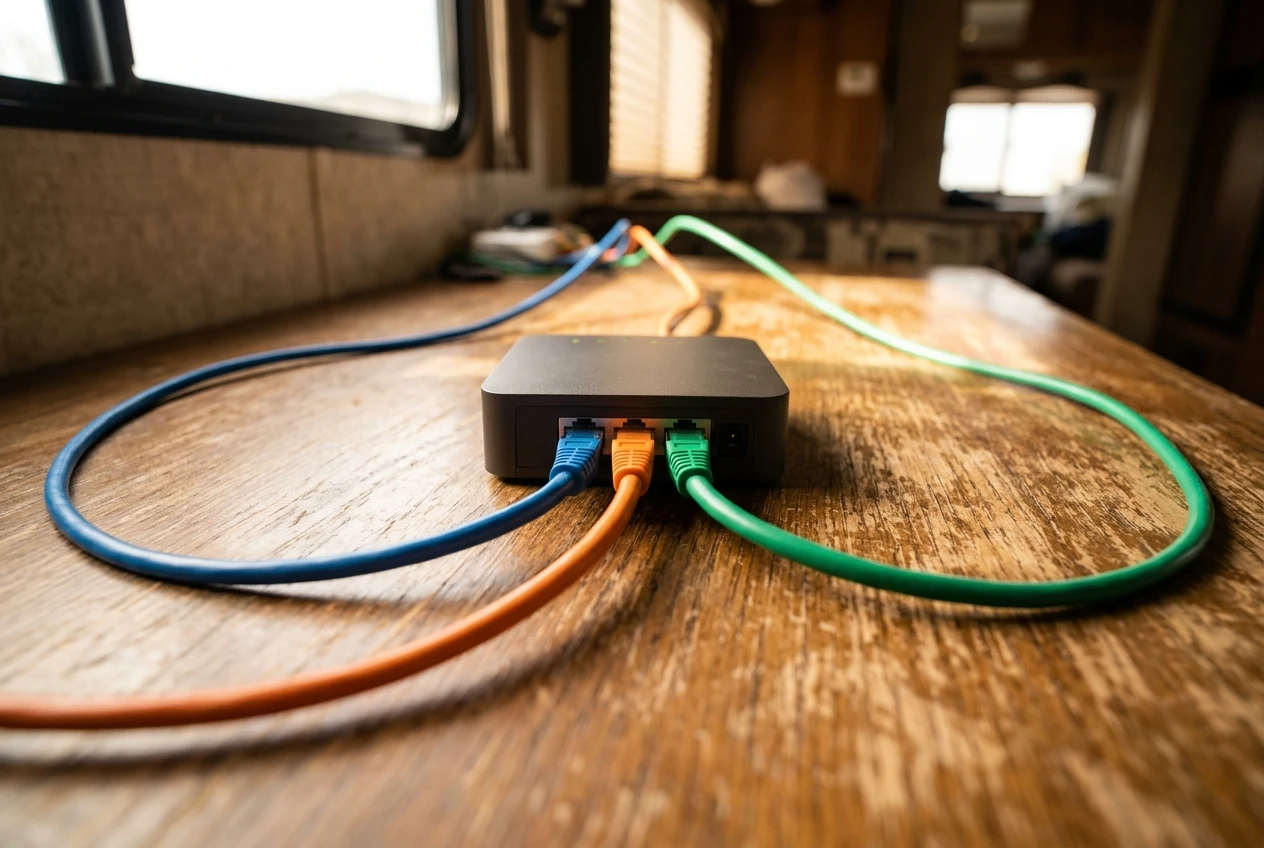
Bonding (sometimes sold as link aggregation or packet-level aggregation over the internet) splits one session across several links. It usually requires a second endpoint somewhere on the internet that reassembles the packets, which means a hosted service or a server you run, and often a license or subscription. Its advantage is that a single call or transfer can survive the loss of one link without dropping.
This matters for screening because many products advertise “multi-WAN” when they only fail over. Read the datasheet for the words “load balancing” and for a list of the algorithms or policies. If the document only describes a primary and a backup, the product fails the first requirement.
Load balancing has one side effect that remote workers should know about. Some websites, banking portals, and VPN gateways tie a login to the source IP address. If a router sends your next connection out over a different link, the site sees a new address and may log you out. Look for session persistence or per-destination rules that pin a given site or device to one WAN. A router without those controls can make a working day more irritating than a single connection would.
Which management interface features matter when you are away from your desk?
The features that matter are a connection to the router that works from outside the RV, alerts when a link fails, and the ability to reboot and reconfigure without being on the local network. A local web page on the router’s own Wi-Fi is not enough, because that is only reachable when you are already inside the rig.
The main obstacle is how cellular networks assign addresses. Carriers commonly place customers behind carrier-grade NAT, so there is no public address you can connect to directly. That means a router can only be reached remotely if it makes an outbound connection to a cloud management service or to a VPN endpoint that you control. When you read a spec sheet, look for which of these the router uses.
Features worth checking, in rough order of importance:
- Cloud or VPN-based remote access. This is the baseline. Confirm that it works over cellular connections and whether the service is free, included for a period, or sold as a subscription.
- Link status and alerts. You want a notification when a WAN goes down, when a modem loses signal, or when the router restarts.
- Remote reboot and remote configuration changes. A router that you can see but not change is only half useful.
- Data usage tracking per link. If any of your plans have caps or throttling thresholds, you need to see consumption without logging in to each carrier.
- Configuration backup and restore. After a firmware problem or a reset, restoring a saved configuration is faster than rebuilding policies by hand.
- Controlled firmware updates. The ability to schedule or delay an update is useful so that nothing changes in the middle of a work week.
- Location reporting. If the router has a GPS receiver, location data helps with theft recovery and with working out why coverage differs from one site to another.
- Account security. Two-factor authentication and separate user roles matter because this interface controls your whole network. The RV network security guide covers the wider picture, but the router login is where it starts.
A router that meets only the local-interface standard fails the second requirement, no matter how polished that interface looks.
Which external antenna connections should a router have?
A router should have external connectors for every radio you want to improve, which means at minimum separate ports for each cellular antenna, and ideally ports for GPS and for Wi-Fi as well. The connectors let you run cables to antennas mounted on the roof or a ladder mount, away from the metal skin of the rig.
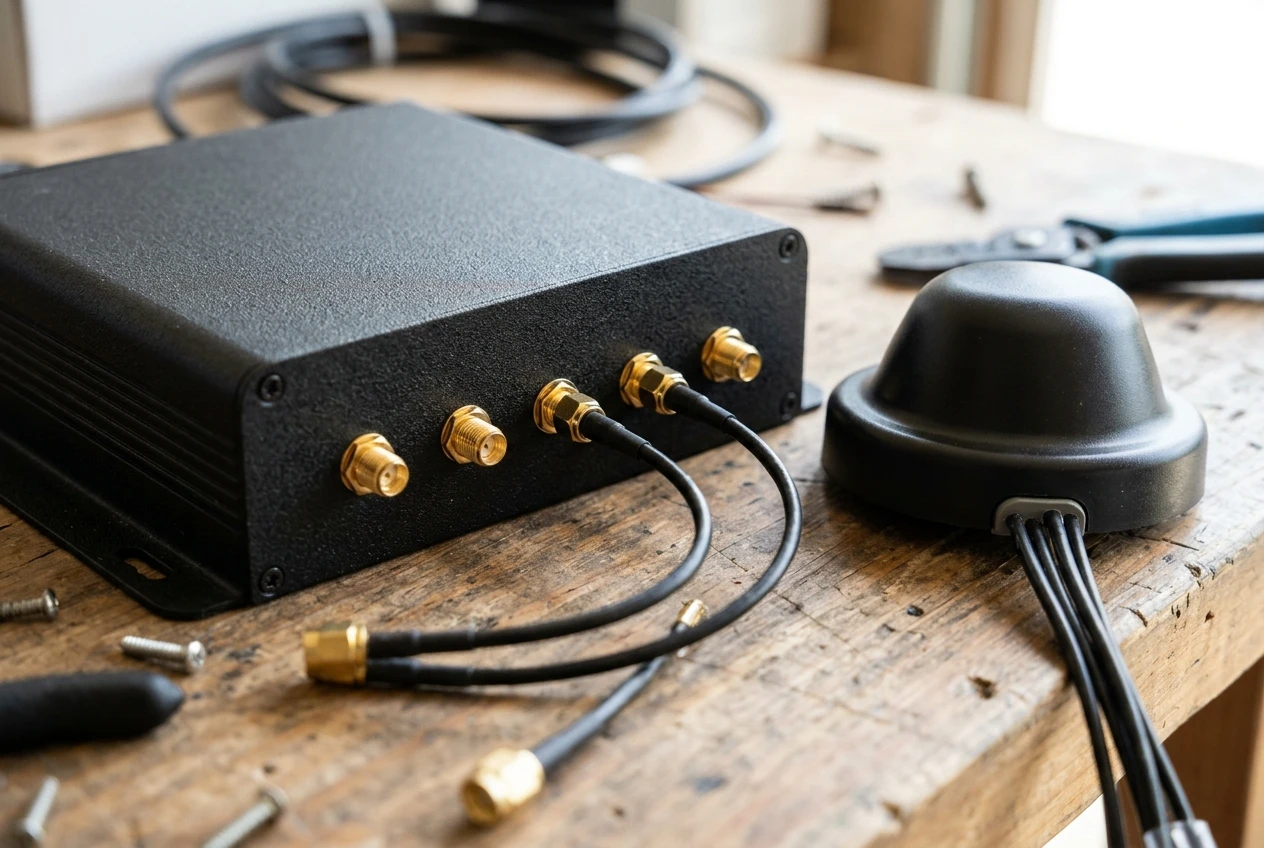
What to look for, by radio:
- Cellular. Modern cellular modems use multiple antennas at once (MIMO), and each antenna needs its own port. A modem built for two-antenna operation exposes at least two connectors, and a four-antenna design exposes four. Check how many ports are provided per modem, because a router with two modems may need four or eight connectors in total. SMA is the common connector type for cellular ports, but confirm it for your model.
- Wi-Fi as WAN. If you use campground Wi-Fi as a source, a router with external Wi-Fi antenna ports lets you attach a directional or higher-gain antenna. Some routers use a reverse-polarity variant of the SMA connector for Wi-Fi, so match the antenna’s connector to the port.
- GPS. Required only if you want location reporting or time-based features, but an external port is better than relying on an internal receiver that cannot see the sky from inside a rig.
- Router’s own Wi-Fi. Detachable antennas for the access point side let you swap in better ones or relocate them, though in a small RV the internal coverage is rarely the limiting factor.
Two practical points apply to all of these. First, cable loss grows with length and with thinner coax, so a short run of low-loss cable between the router and the antenna is better than a long run of thin cable. Second, if a router has built-in modems but only internal antennas, it fails the third requirement, since you cannot move the antennas outside.
One more case needs mentioning. Some routers have no cellular modem at all and take their WAN connections over Ethernet or USB from separate modems. Such a router can still pass the screen, because the external antenna connectors then live on those modems. The router passes only if each modem you attach has external antenna ports, which you should confirm separately.
How do the router classes compare side by side?
Five classes cover most of what is sold for mobile connectivity, and only some of them pass all three tests. The table below describes typical behavior for each class. Individual models vary, so treat it as a screening guide and verify the datasheet for any product you consider.
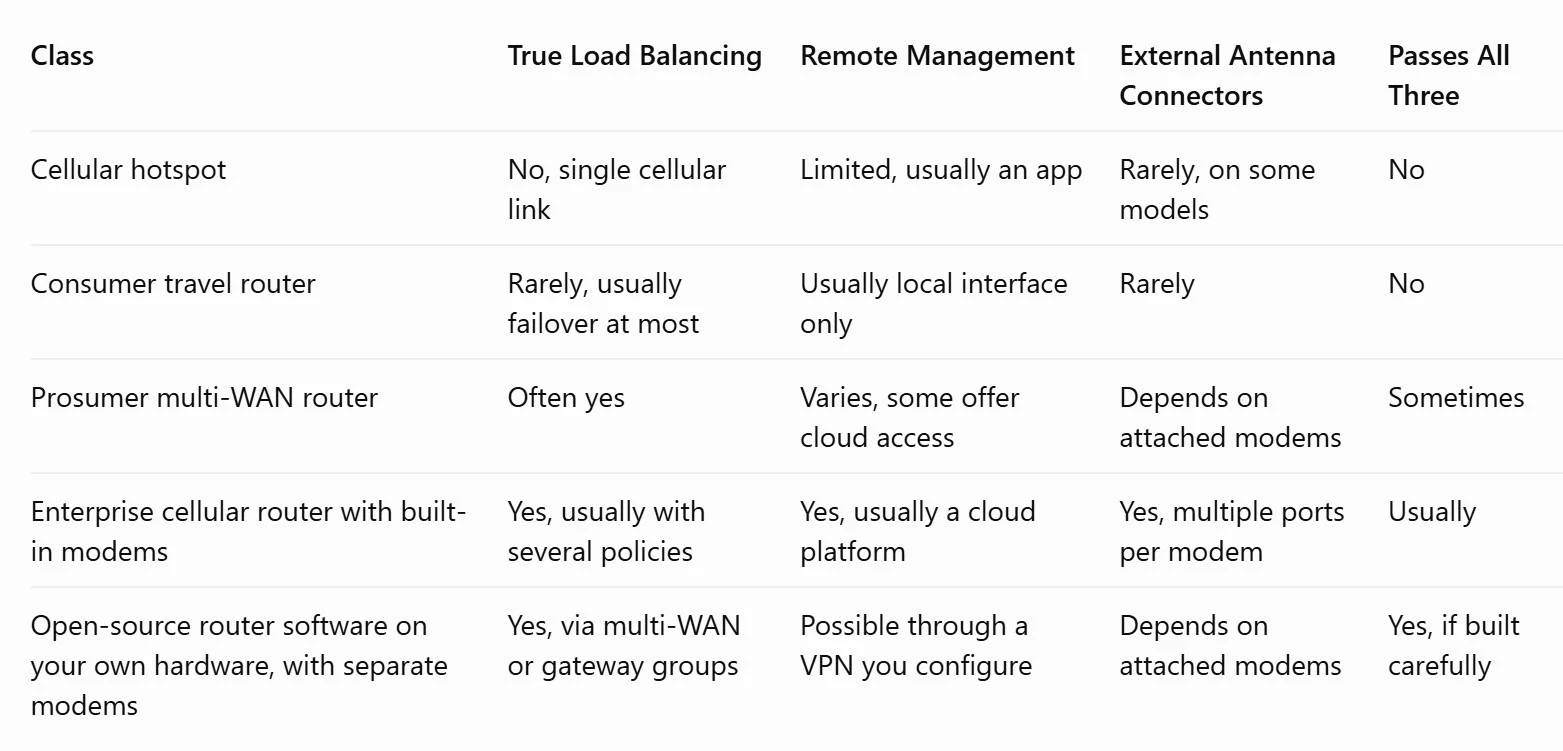
The drop-outs are clear. Cellular hotspots and consumer travel routers are designed to put one connection onto a Wi-Fi network for a few devices, and they are the gear this article assumes you are replacing. They are fine for casual use and fail at least two of the three requirements for working use.
The classes that remain have different trade-offs:
- Prosumer multi-WAN routers are the home-office or small-business tier. They usually handle load balancing well and often have solid management, but many have no built-in cellular modem, so you add separate modems and need to check the antenna ports on each.
- Enterprise cellular routers combine multiple WAN types and built-in modems in one box, with a cloud management platform from the manufacturer. They cost more and are typically designed for fixed 12V or vehicle power, but they are built for exactly this use. Check the licensing terms for the management service.
- Open-source router software on a small computer, with external cellular modems, offers the most control and the most work. You build and maintain the remote access path yourself, and nobody provides support if something breaks on the road.
Which type of router fits which kind of working RVer?
The right class depends on how much downtime your work can absorb and how much configuration you are willing to maintain. Match the router to the consequences of a dropped connection, not to the biggest spec sheet.
Full-time workers on live calls or client-facing roles fit the enterprise cellular router class. A dropped meeting costs credibility, and remote alerts and a manufacturer-supported management platform shorten the time to fix a problem. The higher cost is easier to justify when the internet connection is tied to income.
Part-time RVers who work a few days a week remotely can often use a prosumer multi-WAN router with separate modems. They get load balancing and remote access at a lower entry cost, as long as they verify antenna ports on each modem. This setup also lets them upgrade one component at a time.
Technical users who already administer networks may prefer open-source software on their own hardware. It allows precise control over policies, logging, and VPN design, and it suits someone who is comfortable reading logs and recovering a broken configuration from a phone hotspot.
Anyone who stays in one place for months at a time should think about whether load balancing matters at all. If a single strong link and one backup cover the need, failover alone may be enough, and a simpler router that passes the other two requirements could do the job. In that case, the screen above is stricter than necessary, and you can relax the first test.
Anyone who depends on a corporate VPN should check how the router handles persistent sessions when links change. The guide to enterprise VPNs over cellular and satellite is a better place to start for that subject than a router datasheet.
What should you check before you buy?
Check the manufacturer’s current documentation for each of the three requirements, then check power, licensing, and support. Datasheets are the source of truth here, and marketing pages and retail listings often leave out the details that matter.
Work through this list in order:
- Confirm load balancing in writing. Find the words “load balancing” and the list of supported methods in the current datasheet or user manual. If the product only mentions failover, drop it.
- Find out how remote management connects. Identify the cloud platform or VPN method, confirm it works behind carrier NAT, and read the terms: what is free, what needs a license, and what happens to remote access if a subscription lapses.
- Count the antenna ports. Match the number and type of connectors to the modems, and decide in advance which antennas you will attach. If the router has no modem, check the attached modems instead.
- Check cellular band support against your carriers. A modem that does not support the bands your carrier uses in the areas you travel will underperform, regardless of the antennas. Compare the modem’s band list to the carrier’s published band information.
- Check the power input. An RV runs on 12V DC, so look for a DC input range that covers your system’s voltage swings, and find the router’s typical power draw. Constant draw matters when you run on batteries.
- Check SIM and WAN capacity. Count the SIM slots, Ethernet WAN ports, and USB or Wi-Fi WAN options, and compare them to the number of sources you plan to use now and add later.
- Read the support and firmware policy. Look at how long the manufacturer has supported its products with updates, and whether the management platform is still actively developed.
- Verify the price at the time of purchase. Prices and subscription terms change, so confirm the total cost, including any management license, directly with the seller.
If a router passes the first three items, it has met the screening standard. The remaining items decide whether it works in your particular rig, with your carriers, on your power system. A router that passes all eight is a sound base for an RV office that has to stay online.
Thanks for stopping by our website! Leave any questions that you may have in the comment area.







Recent Comments