
Best Portable Power Stations for Working a Full Day Off-Grid in Your RV. What you need is the best portable power station for working off grid.
If you are shopping for the best portable power station for working off-grid, the useful question is narrower than “how big is the battery.” It is whether one unit can run your whole workday, from the first email to the last call, without you moving a cable or watching a percentage. Capacity, steady output, inverter behavior, and fan noise decide that. Brand and price tier decide much less.
This guide works through that test. First you measure your desk’s power needs, then you place it in one of three setup tiers, then you match the tier to the specs that matter. The picks below are written as spec targets rather than a list of model names, because manufacturers revise capacities, outputs, and noise ratings between generations. Check any unit you are considering against the current manufacturer spec sheet before you buy.
What a full work day actually draws: a quick watt-hour audit of your desk
Every device on your desk has a power draw in watts. Multiply watts by the hours it runs, and you get watt-hours (Wh), the same unit a power station’s capacity is rated in. Add up every device, and you have the energy your workday consumes.
The label on a power adapter shows the maximum a device can draw, not what it draws during a normal day. A laptop with a 100 W charger may average 30 to 50 W doing email and video calls. A plug-in watt meter, sold at most hardware stores, tells you the real figure. Run each device through it for an hour of typical work and write down the reading.
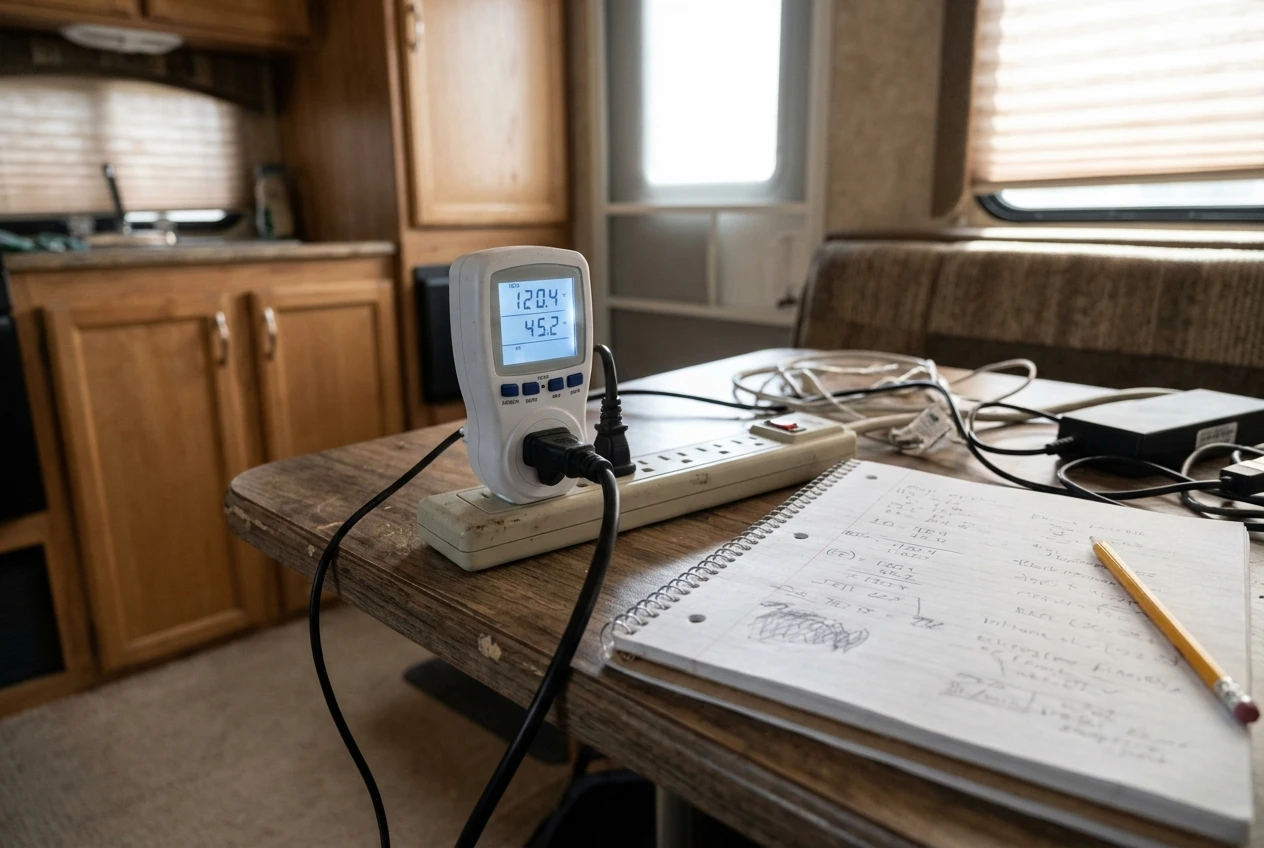
Audit these items:
- Laptop, while charging and while working
- Each external monitor
- Router, cellular modem or hotspot
- Satellite terminal, if you use one
- Phone and tablet charging
- Desk lamp, fan, or any other small load you run during work hours
Two more habits keep the audit honest. Measure the satellite terminal or router over a full hour, because some equipment draws more when it is searching for signal than when it is connected. And note your longest realistic day, not your average one. A power station sized for a six-hour day fails on the day a client call runs into the evening.
Finally, add a margin. Inverters lose energy converting battery power to household AC, and every unit has some idle draw just by being switched on. Planning with 20 to 30 percent more capacity than your audit total covers those losses and leaves the battery from being run to zero.
Three workday setups: laptop only, laptop plus monitor and router, and the full desk with satellite
The figures below are worked examples to show the arithmetic. They are not specs for any product. Replace them with your own meter readings.
Tier 1: laptop only
A laptop averaging 45 W plus a phone hotspot or small cellular device at 10 W is 55 W. Over an 8-hour day, that is 440 Wh. Add a 25 percent margin and the target is about 550 Wh.
This tier suits people who work on a laptop screen and tether to a phone or a small modem. The load is small enough that nearly any mid-size portable unit can carry it, so the choice comes down to weight, noise, and recharge speed.
Tier 2: laptop, monitor and router
Take the same 45 W laptop, add one external monitor at 25 W and a router with a cellular modem at 15 W. That is 85 W, or 680 Wh over 8 hours, and about 850 Wh with a margin. A second monitor adds roughly 25 W, which brings the example to 110 W, 880 Wh, and a target near 1,100 Wh.
This is the most common remote-work desk in an RV, and it is where steady output starts to matter. The total draw is still modest, but several devices plugged into the same inverter all day expose weak inverters and noisy fans.
Tier 3: the full desk with satellite
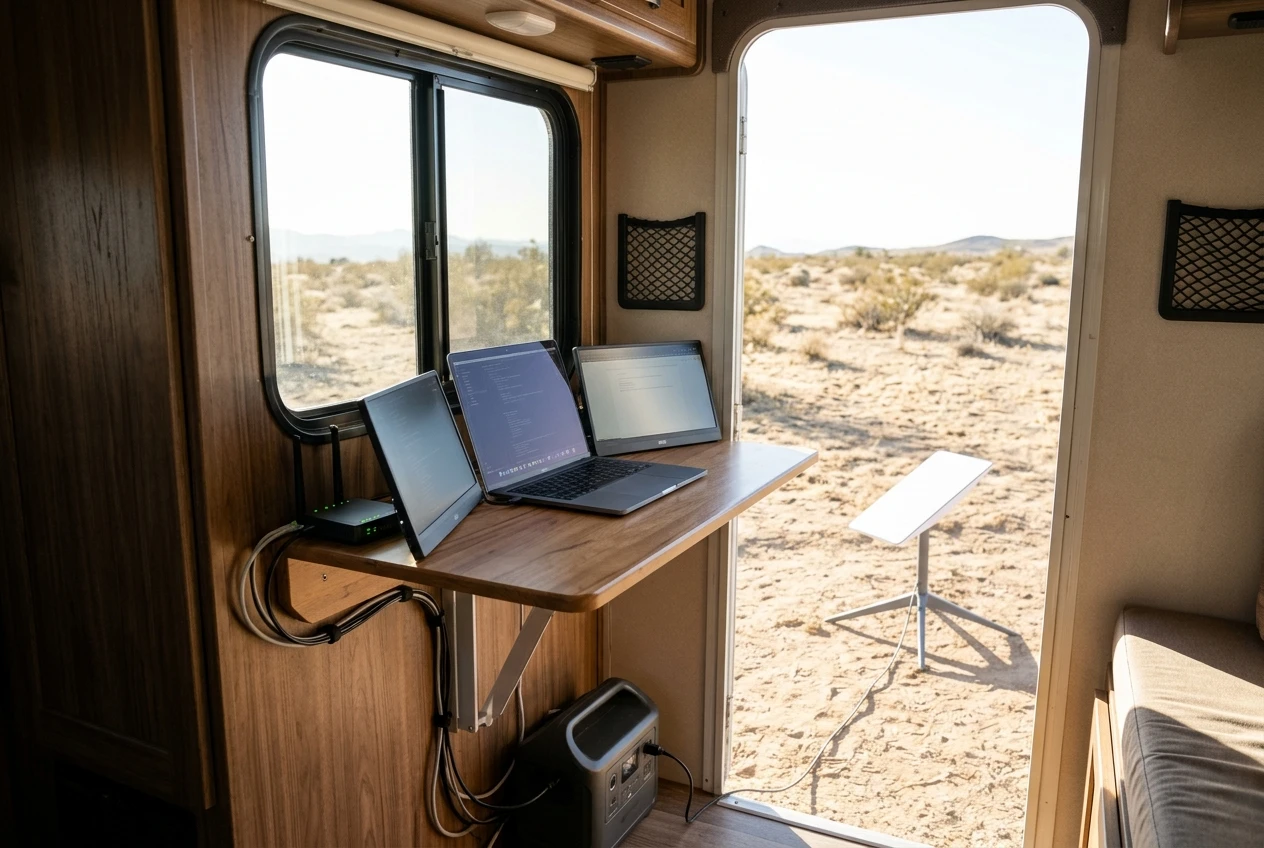
A satellite terminal changes the math more than anything else on the desk. Using an example figure of 75 W for the terminal, a 60 W laptop, two monitors at 50 W combined, and a 15 W router totals 200 W. Over a 10-hour day, that is 2,000 Wh, and with a margin the target is about 2,500 Wh.
Look up the actual draw of your terminal on its manufacturer sheet and confirm it with a meter. Terminals vary by model and by whether they are in a heater or snow-melt mode. If you are still deciding between satellite and cellular, the comparison in RV internet failover setup covers how the two fit together, and the power draw of each is part of that decision.
The specs that decide whether a power station survives a workday
A spec sheet lists dozens of numbers. These are the ones that determine whether the unit gets through a workday.
Rated capacity in watt-hours. This is the number to compare against your audit total. Treat it as the energy stored in the battery, and expect to get less than that at the outlet because of inverter losses.
Continuous AC output in watts. This is how much the inverter can deliver steadily. Your combined load should sit well below it, not near it. A unit that runs at 90 percent of its rating all day will run hotter, spin its fan harder, and trip sooner than one at 40 percent.
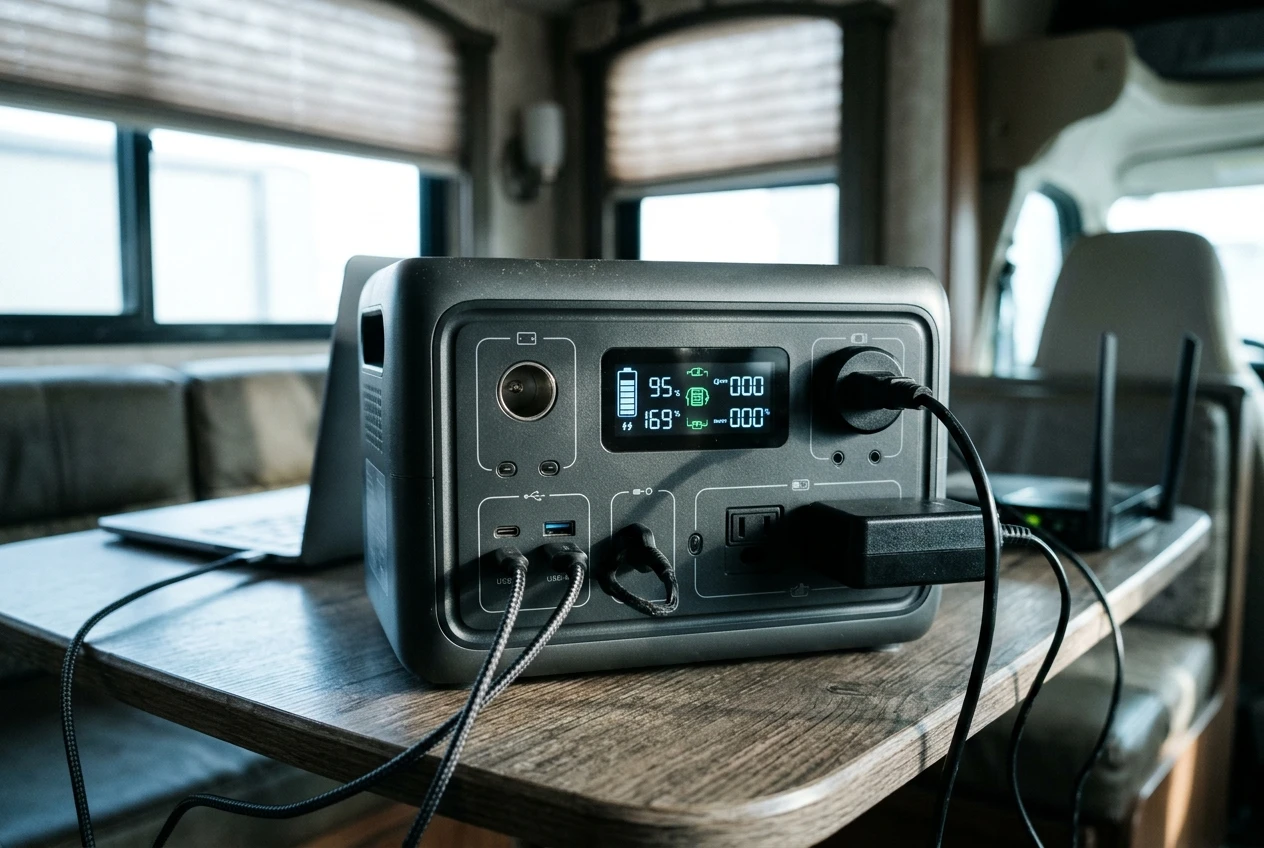
Surge rating. This matters for devices that draw a burst when they start. Monitors, routers, and laptops rarely need much of it. A coffee maker, kettle, space heater, or hair dryer on the same unit is a different matter, and those resistive loads can drain a power station faster than the rest of your desk combined.
Inverter waveform. Look for pure sine wave output. Modified sine wave inverters can cause laptop chargers and monitor power supplies to run hot or buzz, and some sensitive electronics reject them.
Pass-through charging and switchover. On workdays, you may want to plug the unit into solar or shore power while it is feeding your desk. Check the sheet to see whether the unit supports charging and discharging at the same time, and whether it advertises a switchover time if it acts as a backup supply. A unit that cuts power for a moment when the input changes will drop a video call or reboot a router.
Direct DC and USB-C outputs. A laptop that charges over USB-C Power Delivery can skip the inverter entirely. That avoids conversion losses and lets the inverter stay off for much of the day. Check the wattage of the USB-C ports against your laptop charger’s rating.
Idle draw. Some units burn a measurable number of watts just keeping the AC inverter awake. The sheet may list it, and a watt meter on the unit’s own input will confirm it. Over 10 hours, even a small idle draw takes a bite out of your margin.
Fan noise. Manufacturers publish a noise figure in decibels, but note the load at which it was measured. A rating taken at light load tells you little about a day spent at moderate output. Reviews that record noise at the load you will actually run are more useful than the headline number.
Input power and solar input range. Maximum input watts determine how fast you can recharge. The sheet also lists the voltage and current range the solar input accepts, which decides which panels you can connect.
Battery chemistry and cycle life. Spec sheets list the chemistry and the rated number of charge cycles to a stated capacity. A work-from-the-road unit cycles almost daily, so this number affects how many years it stays useful.
Operating and charging temperature range. Lithium batteries often have a narrower range for charging than for discharging. If you work through cold mornings, confirm the unit can charge at the temperatures you will see.
Best picks for each setup tier, and what each one trades away
Rather than name models that may have changed by the time you read this, here is what to look for in each tier and what you give up.
Tier 1 pick: a compact unit at roughly 600 Wh or more
Target about 550 to 700 Wh of rated capacity. A continuous AC output of several hundred watts is more than enough for a laptop and a hotspot, and USB-C Power Delivery on the front panel lets you charge the laptop without the inverter.
What you trade away: capacity for anything else. A monitor added later takes you out of this tier, and a unit this size cannot run a satellite terminal for a full day. The upside is weight and noise. Small units are easier to move between a desk and a storage bay, and a light load keeps the fan quiet or off.
Tier 2 pick: a unit in the 1,000 to 1,200 Wh range with about 1,000 W continuous output
Target 900 to 1,200 Wh depending on whether you run one or two monitors. Choose a unit with continuous AC output of around 1,000 W or higher, pure sine wave output, pass-through charging, and a solar input range that suits the panels you plan to carry.
What you trade away: weight and a longer recharge. A unit in this class is heavy enough that you will want to leave it in one place, and refilling over 1,000 Wh from solar takes a full sunny day or a long drive. This is also the tier where fan noise becomes a real selection criterion, because the unit may run at a third to half of its rating during a full day.
Tier 3 pick: 2,500 Wh or more, or a unit that expands
Target at least 2,000 Wh for a long day, and about 2,500 Wh if you plan to keep a margin. Many larger units accept add-on battery packs, which lets you start smaller and expand. Look for high continuous output, a solar input range wide enough for multiple panels, and a recharge input rated well above what smaller units accept.
What you trade away: a lot. These units are heavy and cost significantly more, and they take real time to recharge. At this size you are close to the point where a permanently installed battery bank becomes the more sensible tool, which the last section covers.
Power stations that fail remote workers: noisy fans, low steady output and slow recharge
Certain spec patterns reliably cause problems for people working a full day.
Noisy fans. A fan that ramps up on every video call is more than an annoyance. Microphones pick it up, and clients hear it. Look for independent test reviews that note fan behavior at moderate load, and look for units that stay passively cooled at low draw. If you have already worked on RV acoustics, the same logic applies as in any soundproofing effort: reduce the source before you try to block it. Place the unit away from your microphone, ideally behind a door or in a storage bay with airflow.
Low steady output. A unit with a large battery but a small inverter can store plenty of energy and still be unable to power your desk. Check that continuous output comfortably exceeds your combined load, and remember that a sagging inverter often shows up as an overload shutdown rather than a gradual slowdown.
Slow recharge. Divide capacity by maximum input watts to get the best-case recharge time. A 1,100 Wh unit with a 300 W input needs at least 3.7 hours under ideal conditions, and real conditions are slower. If you work every day and move between camps, a unit that takes a full day to refill from the wall will not keep up.
No pass-through. If the unit cannot charge and discharge at once, you either unplug your desk to recharge or accept interruptions.
Cold-weather charging limits. A unit that refuses to charge below a certain temperature is useless on a cold morning with a depleted battery. Confirm the charging range on the manufacturer sheet.
Heavy idle draw. An inverter that burns power while idle shortens your day. This is rarely the headline spec, so it is worth looking for in reviews or measuring yourself.
Keeping it running: recharging from solar, the tow vehicle, or shore power between work days
Your power station only helps if you can refill it at the pace you drain it. Three sources cover most situations.
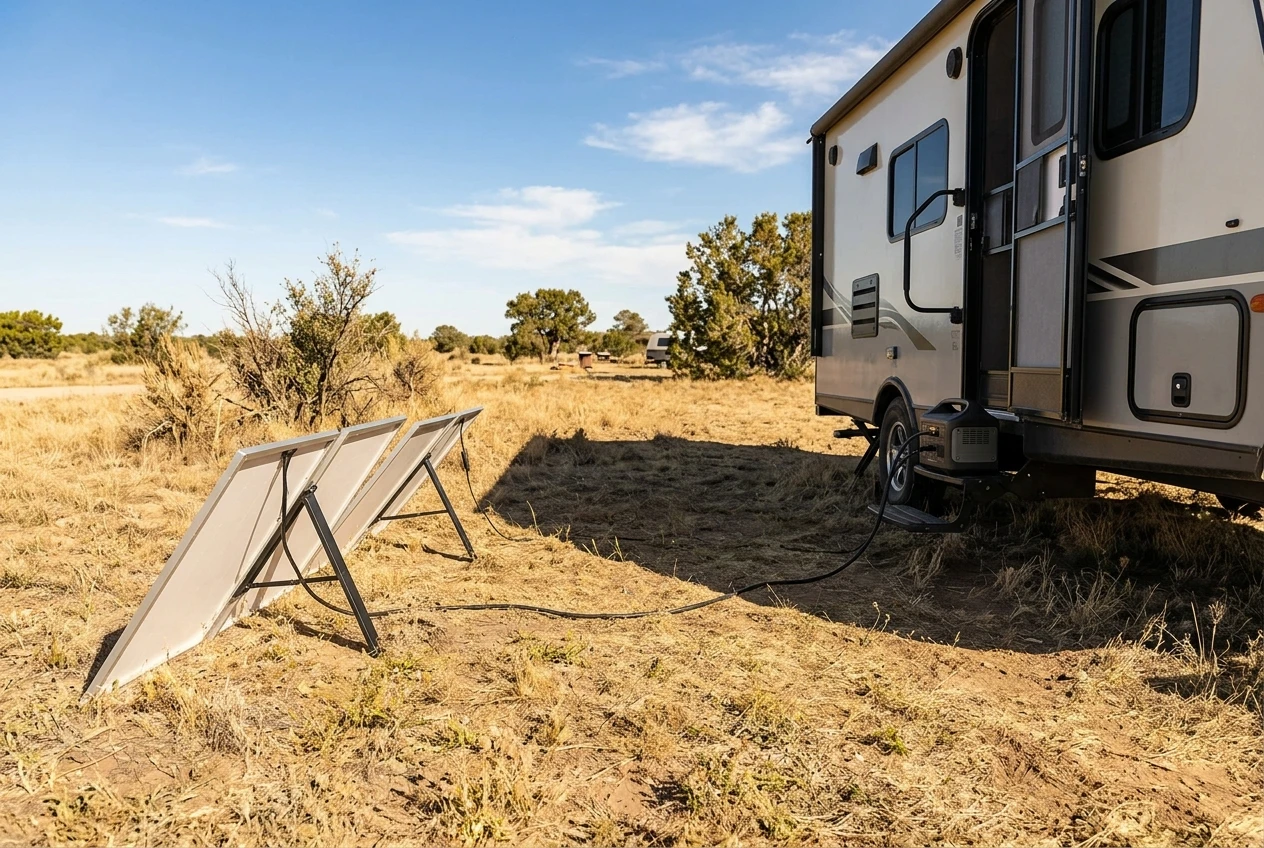
Solar. Panel ratings describe peak output under ideal conditions. Real output depends on sun angle, shade, temperature and cloud cover. As an example, 400 W of panels yielding the equivalent of four full-output hours would produce around 1,600 Wh before charging losses. Compare that to your daily audit total. If your workday uses 2,000 Wh, that panel array does not replace it in a day. The solar input range on the power station’s spec sheet also limits how many panels you can connect, so check voltage and current limits before buying panels.
Tow vehicle or drive days. Charging from a vehicle’s 12 V outlet is usually slow, and the sheet lists the maximum input from that source. Faster options exist through dedicated DC input cables or a DC-to-DC charger, depending on the unit. Driving days can refill a mid-size unit if you plan for them, but they work best when you treat them as scheduled recharge windows, not an afterthought.
Shore power. When you do have a hookup, whether at a campground, a friend’s driveway, or a work-friendly park, use it fully. Charge at the maximum input rate and top off before you leave. If you move between hookup-free camps, the RV power for remote work habits you build around those stops matter as much as the unit itself.
A simple rule is to refill whatever you used each day, from some combination of these sources. If you consistently use more than you can refill, the setup will run you dry within a couple of days regardless of how good the unit is.
Is a power station enough, or is it time for a bigger battery bank?
A power station is the right tool when your daily total is below roughly 2,500 Wh, you want something portable, and you can refill it each day. It needs no installation, it can move with you between vehicles or campsites, and it can be replaced or expanded without touching your RV’s wiring.
A larger battery bank becomes the better choice in these cases:
- Your audit total regularly exceeds what a single unit can store with a margin
- You want to run the RV’s own loads, such as a furnace fan, water pump, or refrigerator, from the same supply
- You need several days of work without a reliable recharge source
- You plan to run large AC loads that a portable inverter cannot support
- You are tired of carrying and plugging in a heavy unit every day
Installed systems cost more up front and require wiring, a charge controller, and a properly sized inverter, so they pay off for people who work from the RV most of the year and have a consistent, high draw. If you are close to that line, run the audit again with every device you use during a full week, including the RV’s own loads, and compare the total with what one unit can supply. The sizing guide on this site for solar and batteries covers the next step when the numbers say a single unit will not do.
For most people working a normal day from a laptop, a monitor, and a router, a well-chosen unit in the 1,000 Wh class with a quiet fan, pure sine wave output, and a reliable recharge plan is enough. The audit tells you whether you are one of them.
Depending on when you read this article and the availability of current units, this unit may help with your off grid power needs.







Recent Comments