
How to Set Up a Mobile Office in Your RV for Remote Work
If you live life on the road or want to take a few workdays away from home, setting up a mobile office in your RV can totally change your workflow. There’s real freedom in working wherever you park, whether you’re near the beach or deep in the woods.
I’ve worked from campgrounds, truck stop parking lots, and even scenic overlooks, and each spot brings a new kind of motivation.
Getting your mobile RV office up and running takes a bit of planning, but once you’ve got your setup dialed in, working on the move is much easier than it looks. My goal here is to share what matters most for creating a solid, reliable, and comfortable workspace right inside your RV.
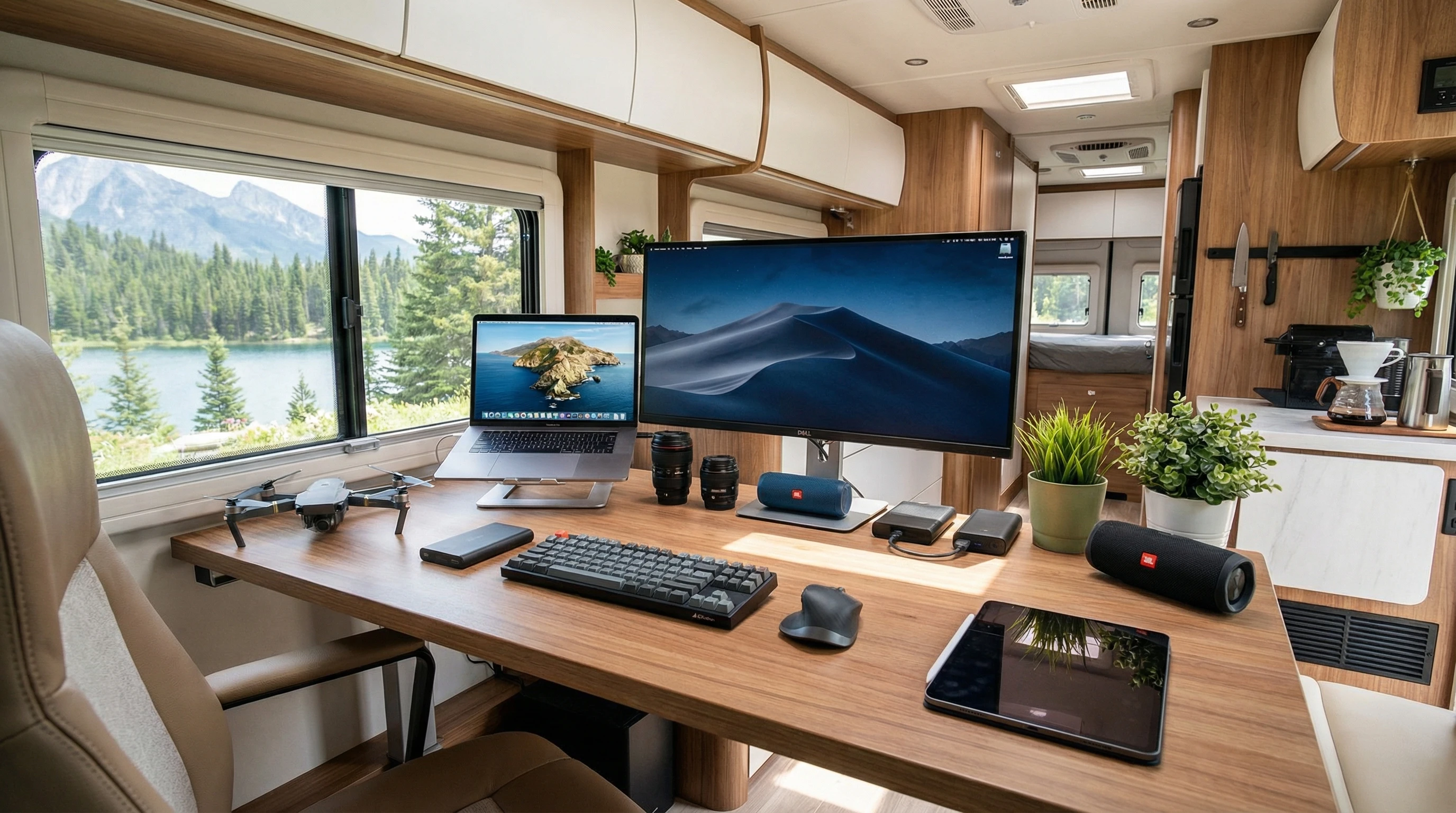
Gear and Furniture to Jumpstart Your RV Mobile Office
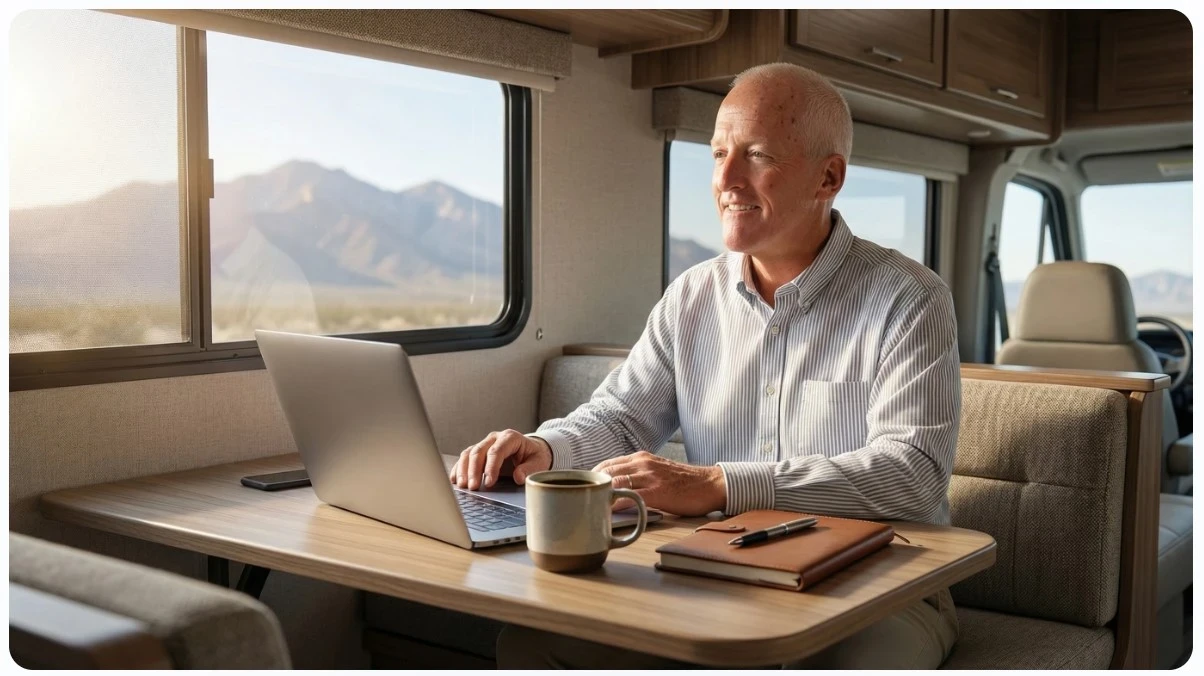
One of the first decisions you’ll face is picking the right spot inside your RV for your work zone. Some people use the dinette table, while others set up a folding desk in a slideout or at the end of the bed. I tried both, and I found it really depends on your daily habits, my RV floorplan, and how much space you need. If you plan to work for long stretches or need multiple monitors, a dedicated space is super handy.
Furniture that folds or tucks away easily is really helpful. A portable desk or a sturdy fold-up table lets you clear up space when you finish work. An adjustable chair with decent back support can make all the difference. I’ve used a basic camping chair for quick sessions, but for all-day work, you’ll want a chair that’s comfortable and supports your lower back.
Now, in my Airstream, I use my laptop in my lap and sit in the corner of our big L-shaped couch. It can be that simple. In our motorhomes, it was a simpler situation. When I was really driving to grow our business, I used a folding table and chair when we were hanging out in RV parks for more than just a few days. I also enjoy using my Xebec tri-screen setup to increase my work efficiency!
Lighting matters more than you might think. Natural light from your RV windows feels good, but if you’re on your laptop all day or need to jump on video calls, a small LED lamp with adjustable brightness helps a lot. Clip-on USB-powered lights are affordable and easy to move around.
Reliable Internet Options for RV Work
Staying connected is probably the biggest challenge when working from an RV. I’ve gone through all the main options: campground WiFi, mobile hotspots, cellular plans, and signal boosters. Each has its benefits, and your best choice depends on where you travel most often.
- Campground WiFi: Usually slow and spotty. Fine for checking emails, but I rarely trust it for video calls or uploading big files.
- Cellular Data (Hotspot): My go-to setup is a dedicated hotspot device with a solid data plan. Verizon and T-Mobile both offer decent RV coverage in most states.
- Signal Boosters: If you work in remote places, a cell signal booster can help get a connection in areas where your phone alone drops out. These devices amplify weak cell signals inside your RV.
- Satellite Internet: This is an option, especially now with systems like Starlink. It’s not the cheapest, but if you need internet in truly off-grid spots, it’s worth checking out.
Our current setup is to use Starlink when we are staying at one location for more than a few days and a MiFi T-Mobile unit, through FRVA TechConnect+, when we are on the move. Both allow unlimited high-speed data transfer. We spend $225/month for our connectivity, but at 300 – 500G a month of usage (streaming movies eats up data), this works best for us.
Combining a couple of these options is the best way to avoid internet headaches. Keeping a mobile hotspot and Starlink, I’m never left without a connection!
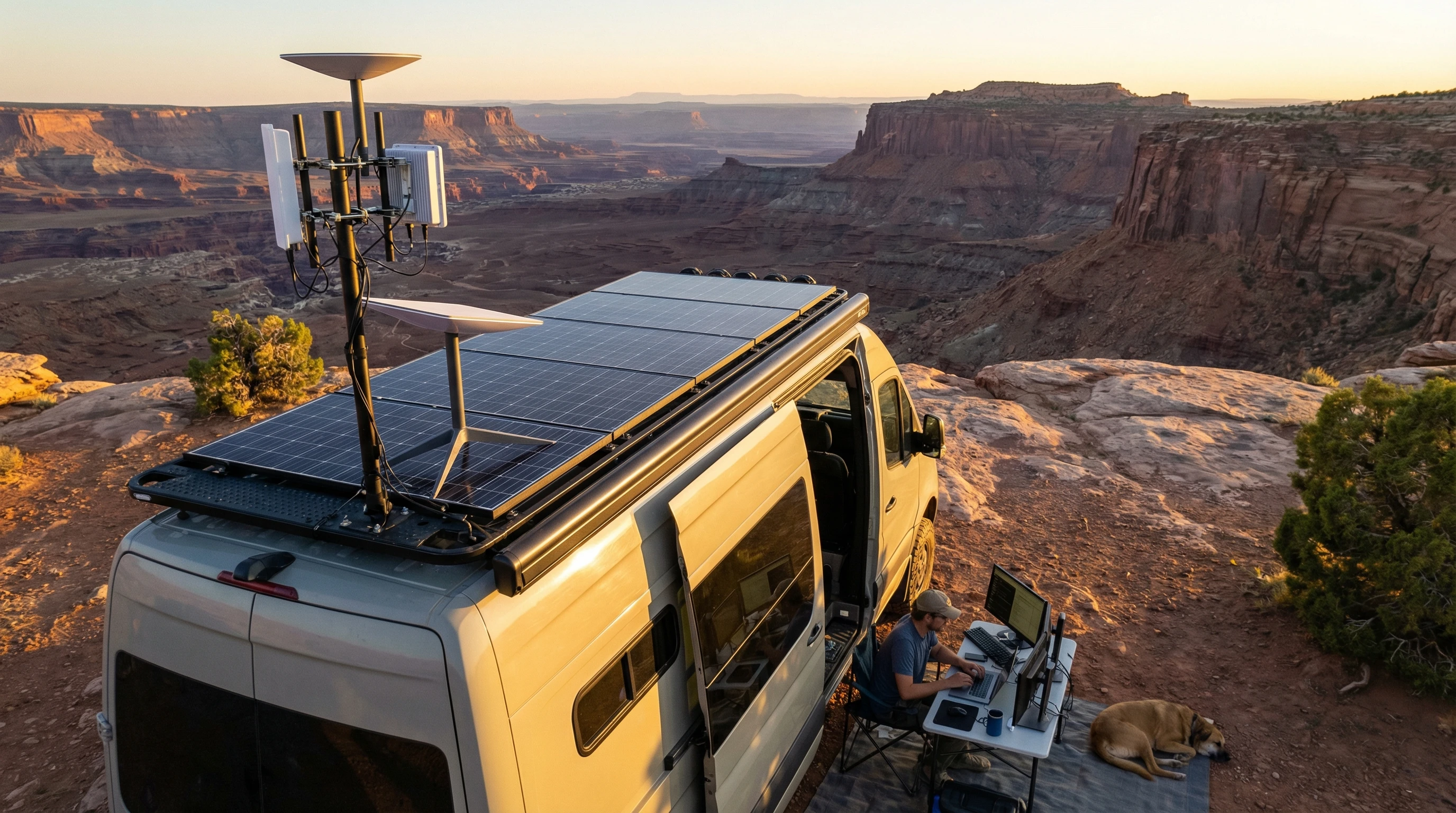
Power Solutions for Your RV Office
Electronics need power, and if you don’t keep an eye on your RV’s electrical setup, you might lose work at the worst moment. RVs can run on shore power (plugged in at a campground), batteries, or from a generator. Solar panels are becoming more popular, too.
- Shore Power: When you’re plugged in at a campsite, power is not an issue.
- Batteries and Solar: If you boondock (camp without hookups), battery life suddenly matters a lot. Adding extra batteries or solar panels gives you more time to work without plugging in. Even one solar panel can help keep your laptop and WiFi running for hours.
- Generators: Handy for short bursts of power, especially if you need to charge bigger devices or run appliances. I keep a small, quiet generator as backup.
A good surge protector and a few heavy-duty extension cords save a lot of hassle. USB charging strips and power banks are really useful too. I charge up my backup power banks on sunny days so I can work through cloudy days or evenings.
Helpful Office Tech and Tools
Tech accessories can transform your workflow from a hassle into something that feels like a real office. Here are my staples:
- Laptop & Accessories: I use a lightweight Macbook Pro laptop paired with a portable mouse. A laptop stand can help with neck strain, especially for longer workdays. I use a chill pad to keep things cool.
- Portable Monitor: If you split your screen a lot, a slim external monitor is worth it. USBC monitors are easy to set up and store away.
- Noise-Cancelling Headphones: RV parks and campgrounds can get noisy in the afternoons. Quality headphones let me tune out while working or taking calls.
- Printer/Scanner: I rarely need these, but when I do, a compact wireless printer fits in the overhead storage above the cab.
Cable organizers, extra charging cables, and storage pockets all help keep things tidy. Pretty soon, you’ll find out which little gadgets matter most for you, whether that’s a portable speaker for background music or a flexible tablet holder for reading PDFs.
Managing Posture, Comfort, and Distractions
Working in a small space comes with its own set of challenges. I learned pretty quickly that being comfortable pays off over time. Adjust the height of your laptop so you’re not slouching. If your RV table is too high or low, a laptop stand makes a big impact.
Sit with your feet flat and try not to hunch over. Adding a lumbar pillow or a small cushion to your seat makes long sessions much more bearable. Taking short breaks every hour to stretch or move around keeps you fresh. I like to pair work sessions with short walks around the campground.
If you struggle with distractions, noise-cancelling headphones can help. Shutting the RV blinds minimizes visual clutter, and setting up a simple “working” sign lets travel companions know not to interrupt.
Don’t forget about climate control. On hot days, a small USB fan or keeping your windows cracked open works well. During cold snaps, a space heater (safely set up) or an extra blanket keeps the chill out.
Troubleshooting Common RV Office Problems
Even the best-planned setup can hit hiccups. Here are some quick solutions to common problems:
- Internet Drops: Restart your hotspot and check for a better signal in different RV spots. Sometimes, just moving the device close to a window boosts speed.
- Running Out of Power: Conserve battery by closing unused apps and dimming your screen. Solar chargers keep small devices topped up without draining main batteries.
- Noise: Create a focused workspace early in the day or late evenings when camps are typically quieter. White noise apps can mask outside sounds.
- Weather Issues: If heat or cold gets uncomfortable, plan work hours around mild parts of the day. Many RVs have built-in temperature controls, so adjust the thermostat if possible. Even during heavy storms, we have been impressed that our Starlink remains active.
Staying flexible is really important. When you’re used to a changing environment, it’s a lot easier to adapt and keep your workflow steady.
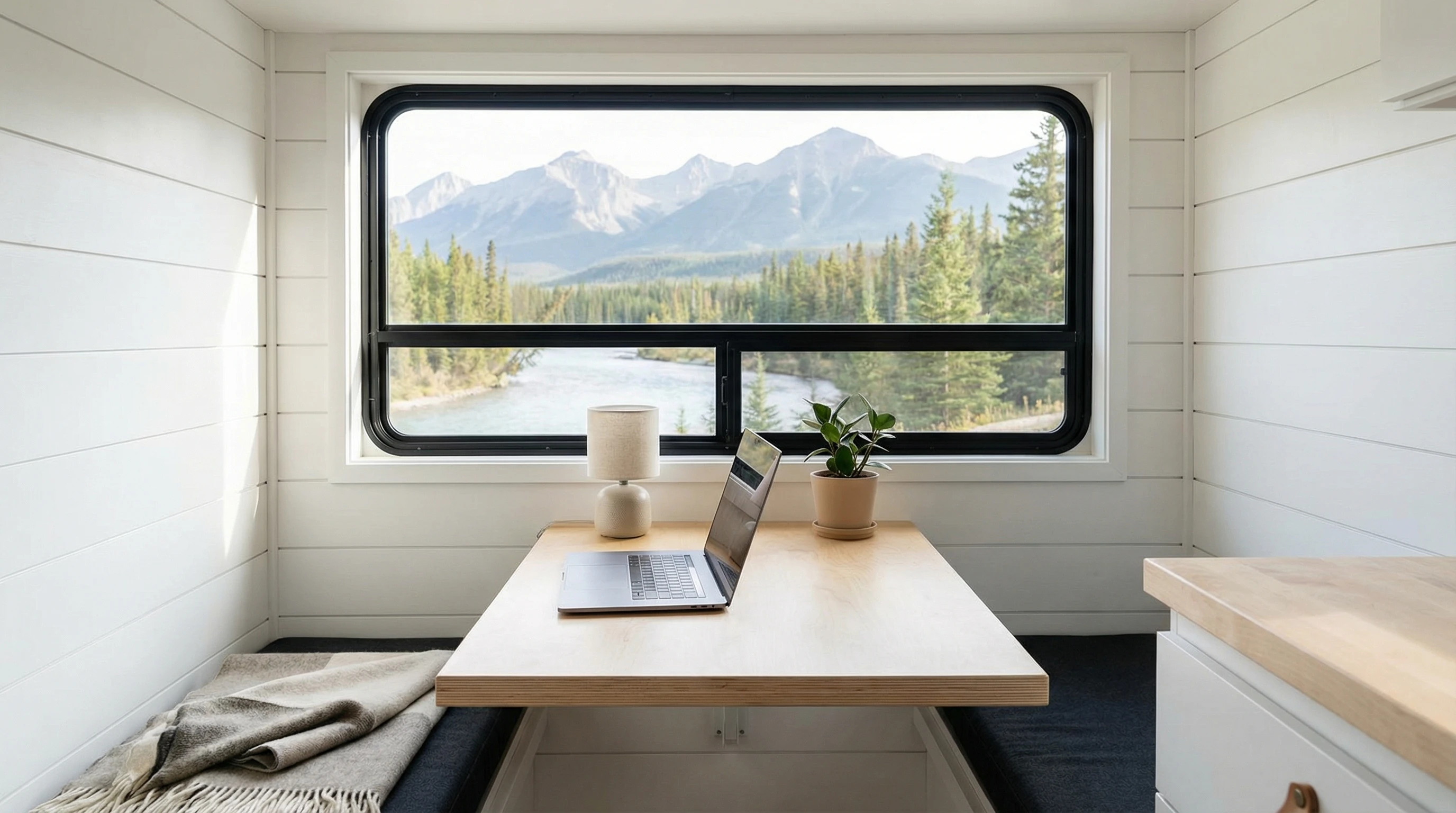
Advanced Tips for NextLevel RV Productivity
For those who spend lots of time working from their RV, taking your setup up a notch makes work life even better. Besides using portable and lightweight gear, it’s worth thinking about extra touches to make your mobile office both efficient and personal.
A comfortable desk mat or ergonomic mouse, for instance, can reduce fatigue during long work stretches, while a compact desktop organizer keeps essentials close at hand. Some RVers even bring a small potted plant to freshen up their workspace and add a bit of nature indoors.
These subtle upgrades can do wonders for your mental and physical well-being, keeping your workspace functional yet inviting. Here are a few more advanced tips:
- Upgrade Your Solar: Adding more solar panels or a larger battery bank gives you more freedom to work off-grid for days or weeks.
- External Antenna: Installing an external antenna for your hotspot or WiFi router can seriously improve your connection in low-signal areas.
- Custom Desk Build: If you’re handy, consider building a fold-down desk or adding storage shelves just for work gear.
- Backup Everything: Use cloud storage or portable hard drives to save important files so you don’t lose work if a device crashes or vanishes on the road.
Smart automation gear, like smart plugs or lights you can control with your voice, adds extra convenience. Set workday routines using alarms or calendar reminders, and keep your gear and workspace organized with packing cubes and storage bins.
Frequently Asked Questions
Question: How much internet speed do I need to work from my RV?
Answer: For basic work like email and web browsing, 5 to 10 Mbps download is usually enough. For video meetings, uploading files, or anything with bigger data needs, aim for 15 Mbps or higher. Starlink allows us to be over 100 Mbps!
Question: What’s the best way to keep devices powered when boondocking?
Answer: A mix of solar panels, backup batteries, and smart charging habits lets you stretch out your off-grid work sessions. Plug in whenever you can and avoid running big appliances when working.
Question: Can I transform any RV into a practical mobile office?
Answer: Almost any RV can work for remote office use. Dedicated space makes things easier, but with some folding furniture and portable tech, you can set up a good workspace in even the smallest rigs.
Question: How do I handle time zone changes while traveling and working?
Answer: Set your devices to update time zones automatically, and always double-check your calendar invites. It helps to make a habit of checking the local time whenever you set up in a new spot.
Creating a mobile office in your RV takes a bit of experimentation, but the flexibility and freedom really pay off. Smart upgrades like solar panels or an external antenna can give a boost to your setup, while portable furniture and a good internet plan keep you working smoothly almost anywhere.
Whether you’re a weekend freelancer or a full-time road warrior, a cozy and reliable RV workspace lets you make great things happen on your own terms.
____________________________________________
Find more tips on making the most out of RV life at our site.
If you’ve got questions or want to swap RV work hacks, drop a comment or check out other guides I’ve put together. Wishing you smooth roads and fast WiFi!
But . . . . . .
What If Your RV Could Help Pay for the Journey? Could you make money while traveling wherever you like?
Many full-time RVers quietly earn money online: writing, recommending products, and building simple digital assets that generate income while they travel.
You don’t need tech skills.
You don’t need experience.
You need the right roadmap.
👉 Discover the beginner-friendly approach! Take a look at this post on this website.





Recent Comments