
How Do Remote RV Workers Stay Connected on the Road?
Staying connected is a big deal when working remotely from an RV. I know from experience that spotty WiFi or losing cell signal can make even the coolest workday feel pretty frustrating. For those of us who love life on the road, reliable internet is not just about checking emails.
It’s about keeping your job, joining video calls, uploading files, and taking care of all the usual work stuff, just in a way that fits an adventure-first lifestyle.
I put this guide together to share what works, what to watch out for, and the smart moves you can make to really stay connected while working from your RV. Whether you’re new to the road or a seasoned traveler, these tips can save you some headaches down the line.
Understanding RV Internet and Common Connectivity Hurdles
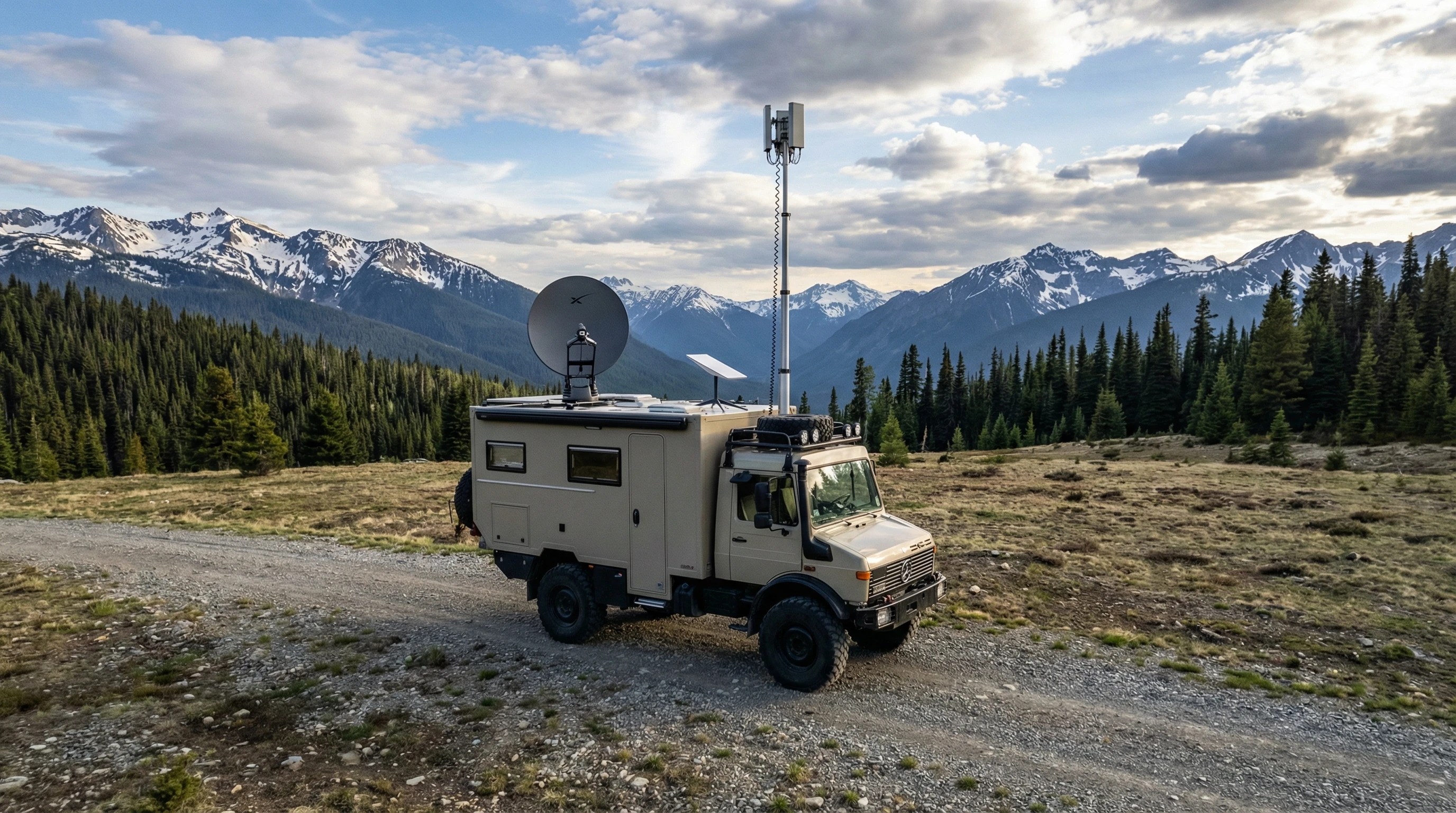
Connectivity on the road isn’t the same as what you get in an office or at home. Coverage can vary a lot depending on your location, from strong 5G signals near big cities to almost no coverage in quiet parks or remote campgrounds. Sometimes, speeds are fine when you’re parked next to a major highway, but slow to a crawl as soon as you hit the forest or wide open desert.
Typical challenges include:
- Unstable Signals: Cell towers aren’t everywhere. You might struggle to get even one bar in some spots.
- Bandwidth Overload: Crowded campgrounds mean more people on the network, which can slow everyone down.
- Network Limits: Most mobile hotspots or satellite plans set data caps or can throttle speeds after a certain limit.
- Physical Barriers: Thick trees, hills, and even RV walls can block or weaken incoming signals.
There are times I’ve spent hours trying to upload one file from a boondocking spot. Knowing these roadblocks ahead of time helps you plan and avoid unwelcome surprises. If you have fellow RV friends, check in with them about their experiences at certain locations; you can save yourself a couple of gray hairs with some friendly advice.
RV Internet Options: What You Can Use and How They Work
There’s no single “perfect” option, but you’ve got several choices that help you stay online while traveling. Here’s a quick look at what you might use as a remote RV worker:
- Cellular Data (Mobile Hotspots): Using your phone or a dedicated mobile hotspot to pull internet from nearby cell towers. These are portable and usually pretty reliable near towns.
- Satellite Internet: Services like Starlink bring internet from satellites directly to your RV. Speeds can be good even in the wild, but weather sometimes affects connections.
- Campground WiFi: Many parks offer WiFi, but signal strength and speed can vary a ton, especially if lots of people are online.
- Public WiFi: Libraries, coffee shops, and fast food places often have open networks you can use if you’re in range and need a backup.
Mixing and matching these options, with backup plans in place, helps you avoid hitting a complete dead zone. Some RVers also mix in a prepaid SIM card for a third provider, prepping for spotty coverage on unexpected routes. Always check coverage maps before you roll into a new spot.
Step-by-Step: Building a Reliable RV Work Connection
I’ve put together a practical checklist for how I set up dependable internet while living and working from the road:
- Pick the Right Carriers: Not all cell carriers cover the same regions. I use plans on more than one network (like Verizon and T-Mobile) to cover more ground.
- Get a Dedicated Hotspot or Router: These devices are built for heavy usage and support several devices better than just hotspotting from your phone.
- Add a Cell Signal Booster: A booster, such as a WeBoost or Winegard, can pull in faint signals and make a big difference, especially in fringe areas.
- Grab an External Antenna: Mountable rooftop antennas reach the clearest signal nearby, cutting through trees or metal walls that block reception.
- Consider Satellite as Backup: If you spend weeks away from cities or find yourself in true remote areas, a satellite setup like Starlink is worth thinking about. I personally use this when nothing else is working.
- Look for Power Saving Features: Reliable power is important for your gear. Look for devices that work efficiently and can power down when you’re off-grid.
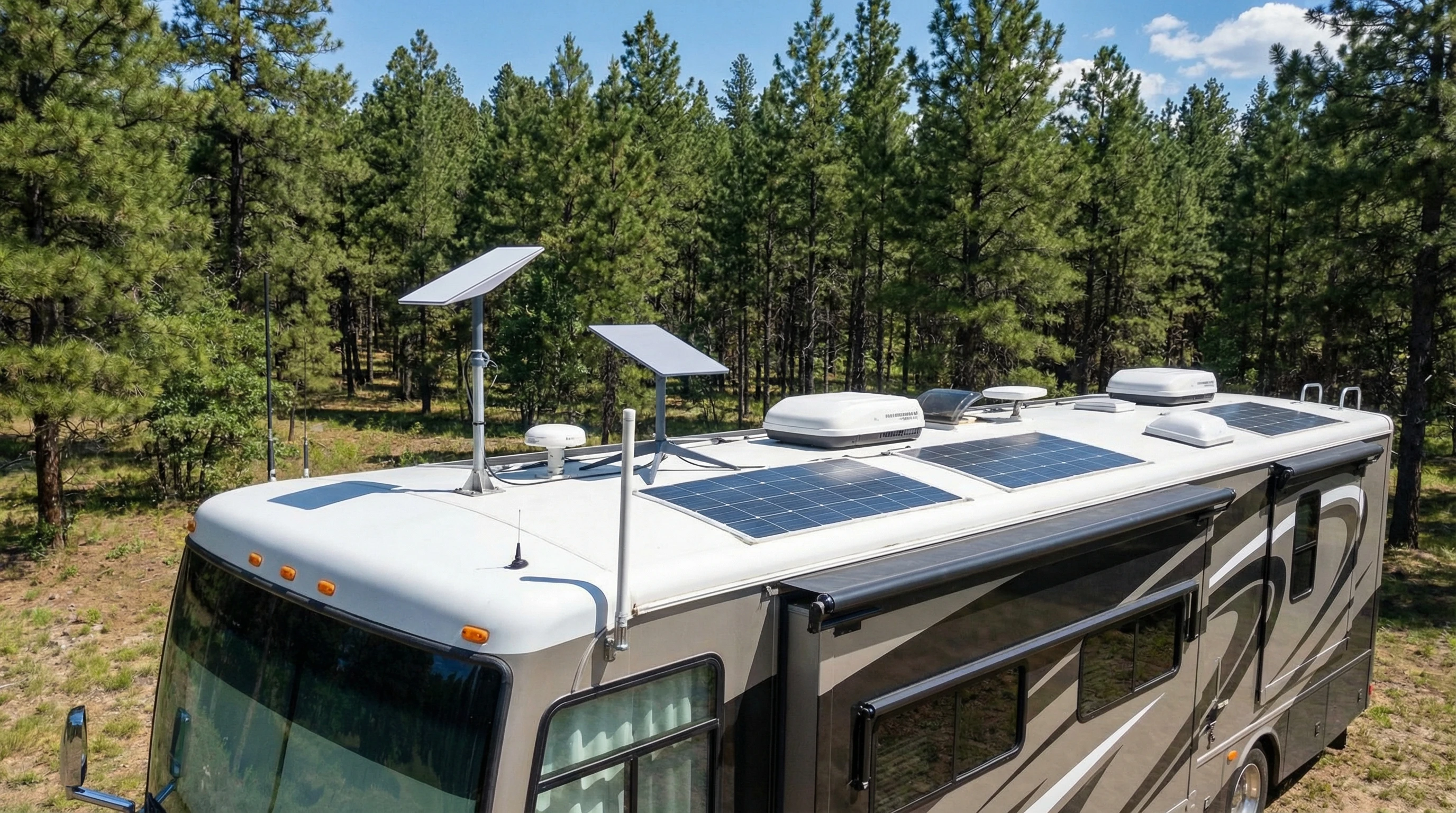
Don’t forget, setting yourself up with the right equipment at the start makes troubleshooting easier. If you’re handy, you can even set up your router to automatically connect to the best network signal it finds, letting you relax rather than constantly fiddling with your devices.
What Affects Your Connection: RV Life Factors and Planning Ahead
Setting up the tech is only half the story. Some real-world choices influence how good or bad your connection will be. Here’s what to keep in mind:
- Location Matters: Mountain valleys, dense forests, or canyons block signals. Parking out in open areas or by a window often improves your reception.
- Weather Counts: Heavy rain, snow, and thick fog sometimes drop your bars or cause satellite delays.
- Device Placement: All your gadgets matter; keep your hotspot or router high up, away from metal clutter, and not stuffed in a storage cabinet.
- Campground Crowds: Avoid peak hours when everyone is streaming. Early mornings and late nights are usually better for getting data through.
I keep different SIM cards and always know where the nearest library or coffee shop is in case everything else fails. Being ready to adapt makes a big difference, and sometimes moving your RV just a few yards helps pick up that extra bar of signal you need.
Top Tools and Tech Extras for Reliable RV Internet
After years on the road, I’ve tested a bunch of gadgets and setups. Here’s what I find really useful in keeping my connection steady:
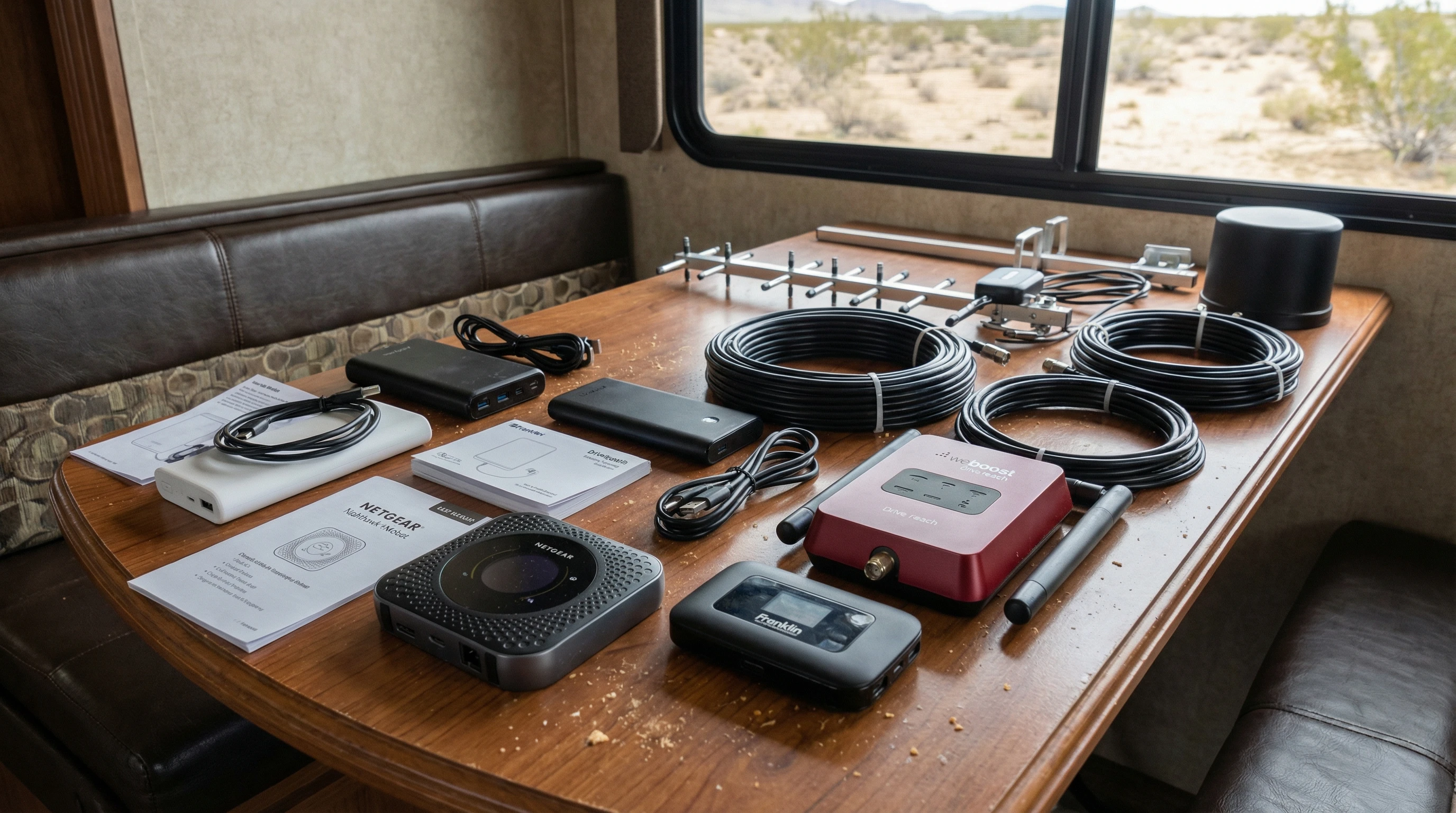
- Mobile Hotspot Devices: Netgear Nighthawk and the newer Inseego hotspots are favorites among RVers for solid performance and good support.
- Cell Signal Boosters: The WeBoost Drive Reach and Winegard Connect work well, especially when signals are weak.
- Starlink Satellite Kit: Starlink’s new RV plan and dish setup work almost anywhere with a clear view of the sky. Requires setup but solves lots of coverage gaps.
- External Antennas: The right antenna, like a MIMO panel, improves speeds across most networks.
- Power Solutions: Portable batteries, solar chargers, or good old fashioned generator backups keep your tech running.
- Network Monitoring Apps: Apps such as OpenSignal, Speedtest, or even your phone’s built-in signal meters help track what’s working best at each location.
Tinkering and trying tools that fit your needs pays off. Reading real reviews and talking to other remote workers along the way gives you a head start on what is worth buying. If you’re new to this world, don’t be afraid to ask questions at the dealership or from full-time RV neighbors. People love to share what works and what hasn’t worked for them.
Practical Tips: Making the Most of Your Connection
Even with the best gear, sometimes the internet is just plain slow. These simple practices help me stretch my bandwidth and avoid wasted workdays:
- Schedule Big Uploads for Off-Peak Hours: Early mornings or late evenings have lighter network traffic.
- Download Files When Signal is Good: Stock up on what you need (work resources, entertainment, maps) while you’re in town.
- Limit Streaming or Large Downloads: Set automatic updates and cloud backups to run only on strong WiFi.
- Monitor Your Data: Use apps like NetLimiter or your carrier tools to track usage and avoid throttling surprises.
- Prioritize Work Apps: Use “traffic shaping” settings on your router to give video calls or uploads higher priority.
- Set Data Alerts: Set usage alerts on your devices so you’re aware before you hit limits.
- Turn Off Background Apps: Extra apps and cloud services quietly use data; shut them down until you find a strong signal.
These routines keep things moving even when the signal’s not perfect. When it comes to uploads, patience is your friend. Don’t be shy about pausing non-work devices from connecting to the network if you’re up against bandwidth limits.
Real Life Situations and Solutions
Sometimes I’ve landed in a national park only to discover zero bars, no matter what I tried. In these moments, having a backup plan matters a lot. I’ll look for signal maps ahead of time or check with friends about spots that are notorious dead zones.
On the flip side, there have been weeks parked just outside small towns where I was able to run video calls, upload big projects, and even stream movies, all off a single good hotspot signal. Getting to know your equipment and your favorite camping regions goes a long way toward making work from the road more fun than stressful.
One trick that’s saved me is carrying a small WiFi range extender. If the only connection is way at the other end of a campground, this can bring the signal inside your RV. And if everything fails, it might be time to break up your work tasks, have a quick digital detox, and plan your next work session when coverage improves.
Frequently Asked Questions
Here are some questions other remote RV workers ask me all the time:
How can I boost my cell signal while camping?
Use a cell booster or set up a roof antenna. Moving your RV to more open space or higher ground also helps get a better signal.
Is satellite internet good enough for video calls?
Yes, services like Starlink usually work for video calls, emails, and most work apps. You might see slight delays, but most people manage fine unless the weather turns stormy.
What happens if I fully lose connectivity?
Keep key work files downloaded locally. Have a list of nearby public WiFi spots as a backup, and communicate with your team when you’re moving out of range.
Can I rely on campground WiFi?
Sometimes, but it’s smart to treat campground WiFi as a bonus, not your main option. Have a cellular plan or hotspot for daily work needs.
What has been our experience getting the best Internet connectivity?
Since 2008, when we started full time RV living, we have battled getting reliable WiFi. But, as the years have rolled by, it has gotten much easier. For the past few years, we have had the best success with a mobile hotspot while the RV is in motion. When parked at campgrounds, we use Starlink for remote work and to stream our TV programs.
Smart Moves for Long-Term RV Work Success
Overcoming connectivity challenges as a remote RV worker comes down to choosing the right mix of tech, planning ahead, and having backup options ready. With patience and the right routine, staying online from all sorts of wild places isn’t just possible, it’s really fun and totally doable.
For long hauls or if you find yourself in a spot for a few weeks, consider checking campground or region-specific Facebook groups to get the scoop about connectivity in the area; sometimes you’ll even stumble upon tips on antenna placement or booster brands that haven’t hit mainstream yet.
If you want more tips about RV work life, gear reviews, or want to share your own setup ideas, feel free to reach out or check out my other posts. Happy travels and smooth connections! If you’ve got stories or hiccups to share, leave a comment and let’s get a conversation going about making remote work on the road less stressful for everyone.
Want to learn more about working from your RV? This page is pretty handy if you’re looking to get into deeper details or check out alternative gear.
_________________________________________________________
What If Your RV Could Help Pay for the Journey? Could you make money while traveling wherever you like?
Many full-time RVers quietly earn money online: writing, recommending products, and building simple digital assets that generate income while they travel.
You don’t need tech skills.
You don’t need experience.
You need the right roadmap.
👉 Discover the beginner-friendly approach! Take a look at this post on this website.




Recent Comments